
An unplugged wedding ceremony, without the awkwardness
By Mark Powell · Weddings By Mark
You walk into the ceremony and see the faces of the people you love. A grin, a wobbly lip, someone already reaching for a tissue. That is a lovely thing to be able to take in.
If you would rather see those faces than a row of phones, an unplugged ceremony is worth considering. You can make the request kindly, give it a clear beginning and end, and still welcome your guests’ photos later.
Here is how I would plan it with you, including wording you can use and one important check about your wedding video.
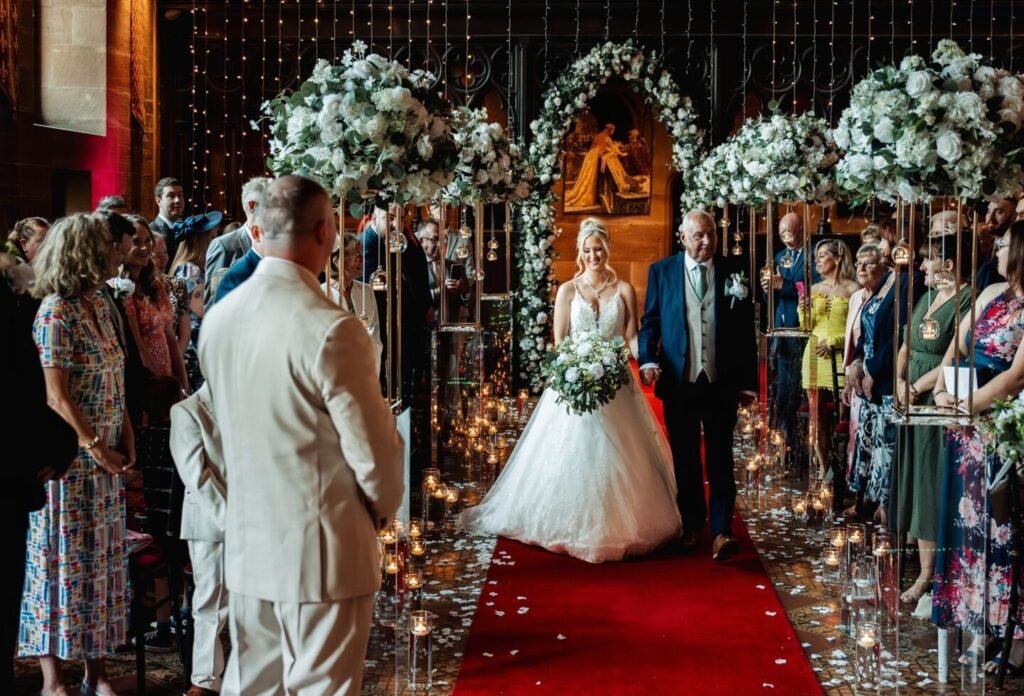
Jade’s entrance at Peckforton Castle. Photography by Weddings By Mark.
What does an unplugged wedding ceremony mean?
It means asking guests to put their phones, cameras and tablets away for the ceremony. Be specific about whether that covers the entrance, vows, first kiss and your walk back down the aisle. “Just during the vows” and “until we leave the ceremony room” give guests different instructions.
You choose how it works. A phone-free ceremony can be followed by a reception full of selfies, little videos and photographs with friends. Tell people when they are welcome to start taking pictures again.
Why it can help your photographs and video
From my side of the camera, a clear aisle and visible faces give me more room to photograph the people and reactions around you. A guest leaning out with a phone can block the view for someone behind them, or step into the angle I am using for your entrance.
That does not mean guests are doing anything wrong by wanting a picture. They are excited for you. A warm request made before the ceremony is much nicer than someone being told off halfway through it.
An unplugged request cannot guarantee a perfect photograph or video. The room, the light and any restrictions on where I can work still matter. I will talk those through with you and work with your registrar, celebrant or ceremony leader.
Check what you want recorded before asking everyone to put phones away
Would you like to watch the vows back in full, or are you happy with photographs and a shorter highlight video? Decide that before the day.
A highlight video and a full ceremony recording are different things. Do not assume that booking a highlight means every word of the ceremony will be recorded and delivered. Check exactly what your chosen package includes.
With my photography and video options, we can talk about the coverage that suits you. If a full ceremony recording matters, tell me when you enquire so I can explain the relevant option and availability.
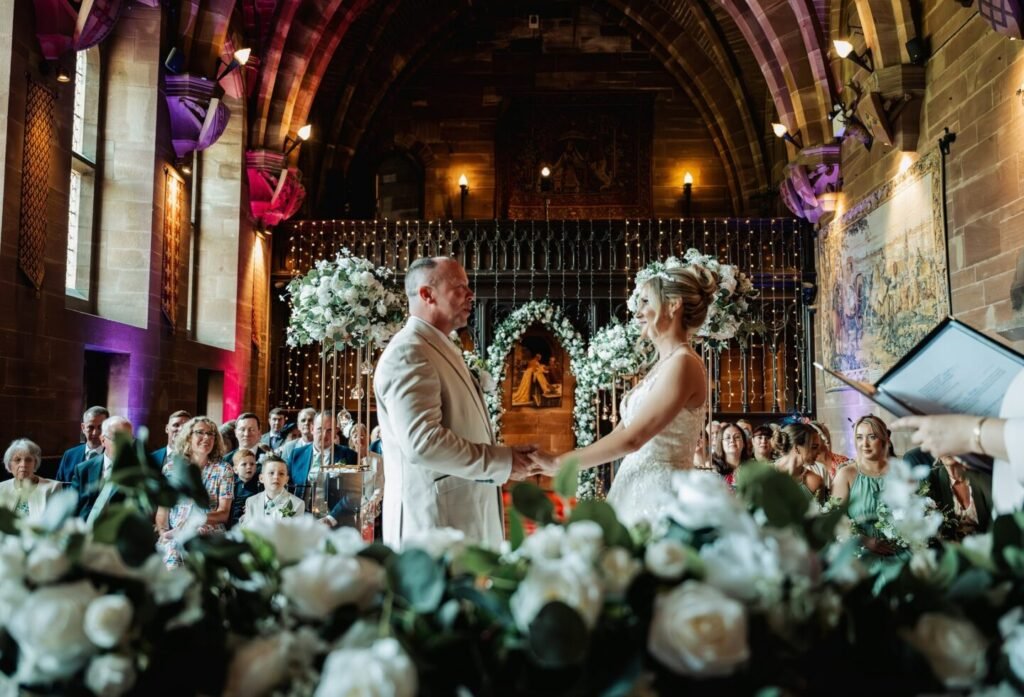
Jade and Nick during their ceremony in the Great Hall.
Friendly wording for your guests
You do not need a stern announcement or five signs saying the same thing. A short note before the wedding, one clear reminder at the ceremony and a few words from the person leading it can do the job. These are starting points for you to adapt.
For your wedding website or invitation details
“We’d love you to enjoy our ceremony with us, so please keep phones and cameras tucked away from the entrance until we walk back down the aisle. Mark will be taking the photographs. There’ll be plenty of time for your own pictures afterwards!”
For a small ceremony sign
“Phones away for the ceremony, please. We’d love to see your faces while we say our vows. Thank you for being here with us.”
For your registrar or celebrant to adapt
“Before we begin, the couple have asked everyone to keep phones and cameras away during the ceremony. Please stay seated and enjoy it with them. Once they have walked back down the aisle, you’re welcome to take your own photographs.”
Agree the wording and timing with your ceremony leader beforehand. If you want a different finishing point, change the announcement to match.
Make room for the people who need their phone
Someone may use a phone for accessibility, communication or a personal health need. A general request about taking photos should leave room for that. You can speak privately beforehand rather than make anyone explain themselves in front of the guests.
If a relative cannot attend and you want them to watch remotely, agree who will handle that and check the arrangements with the venue and ceremony leader. One planned position is easier to work around than several guests trying to film from different seats.
I would keep the request calm and practical. You do not need to collect everyone’s phone or turn a family member into security for the afternoon.
Welcome the guest photos afterwards — and be clear about posting them
Once you have walked back down the aisle, you might be happy for everyone to get their phones out. Those hugs, friends reunited and slightly chaotic dance-floor moments can be lovely to see from your guests’ point of view.
If you are booking an all-day package with me, my guest QR code system gives people somewhere to share their photos, videos and voice messages. The ceremony request and the guest uploads can fit together perfectly well; guests can contribute later, when it suits them.
Taking a photo and posting it publicly are separate decisions. If you want to share your own first wedding announcement, say so. A private upload is not the same as permission to put someone else’s image on social media.
You could add: “Please enjoy taking pictures after the ceremony, but let us share our first wedding post before putting photos of us online. We’d love you to send your favourites to us.”
If you would rather let guests take photos during the ceremony
That is your choice too. You can ask people to stay seated, keep the aisle clear and avoid holding devices above the heads of other guests. Let me know the plan so I can work with it.
Some couples like the idea of a short guest photo opportunity before putting phones away. If that appeals, ask your ceremony leader whether it fits. Keep the instructions simple enough that people know when the change happens.
A small plan to agree before the wedding
- Choose the moments: decide when your phone-free request starts and finishes.
- Check your coverage: confirm the photographs and video you have booked, including any full ceremony recording.
- Speak to your ceremony leader: agree the wording and check photography or video restrictions.
- Tell guests in advance: use a short, friendly note and one reminder on the day.
- Allow for individual needs: agree any accessibility or remote-viewing arrangements quietly.
- Explain what happens afterwards: make your photo-sharing and social-posting preferences clear.
For the rest of the day, my wedding photography checklist will help you decide what to plan ahead. There is no need to turn every minute into a set of instructions.
A few questions couples ask
Is it rude to ask for an unplugged ceremony?
A clear, considerate request is reasonable. Give guests notice, explain that it is what you both want, and leave room for anyone who needs a device. There is no need to criticise their photography or threaten to take phones away.
Does an unplugged ceremony mean no guest photos all day?
Only if that is what you have chosen and explained. You can limit the request to the ceremony and welcome guest pictures at the reception.
Will an unplugged ceremony stop people posting before us?
Not on its own. It tells people about camera use during the ceremony. A request to wait before posting online needs its own clear wording.
Can we still share the professional photographs with family?
Yes. Once your images are ready, you can choose who receives access to your private wedding gallery. We can talk through sharing the photographs with people who attended and those who could not be there.
Your day, your way
If you would like a calm ceremony and plenty of real moments from the rest of the day, tell me what you have in mind. We can work out the photography, video and guest-photo plans together.
You can see more of Jade and Nick’s Peckforton Castle wedding — the photographs used in this guide — or compare my photography and photo and video packages.